 One of the keys to having a successful Etsy shop (or any online shop) is creating and maintaining a consistent brand voice. Customers want to know what to expect from the sellers they buy from – and you want new customers to feel that they’re well cared for when they browse and buy your products.
The best way we know to ensure consistency is to create a brand voice style guide. A guide will keep you on track when you create new product listings, write a blog post, or post on social media. AI tools can help make the process quick and easy, even if you’ve never created a brand voice style guide before. Here’s what you need to know.
What is a Brand Voice Style Guide?
A brand voice style guide is a blueprint that lays out every element of your brand. It takes most people a while (meaning multiple encounters) with a brand to become familiar with it and to trust it. That means your brand guide is essential if you want people to buy the products you sell online.
Your brand must be both appealing and consistent if you want to attract buyers – especially repeat buyers. You want people to know what to expect, and that means providing them with an experience that matches their expectations. Clicking on the link to your shop should feel like stepping into their favorite store.
Your brand guide will keep you on track as you create new products, product listings, and packaging. It can also be useful if you outsource any of your work since your assistant or employee will know precisely what to do to deliver on your brand’s message.
What are the Key Elements of a Brand Guide?
 To create a brand guide, you’ll need to be thorough, making sure to include every element that defines your brand. While much of our focus is on creating a brand voice guide, you’ll also need to think about design elements. You’ll want to cover:
- Your vision for your brand, including your values and your brand story
- Your brand name
- Your brand’s tone and personality
- Visual brand assets, including your logo, font, colors, and product images or mockups
- Some examples of your brand in use, including the desired tone and word usage for both internal and external communication
Specifically, you’ll need these assets:
- A brand logo
- Brand colors and fonts
- Product mockups
- Product listing mockups
- Templates for communication
- Examples of how you want your brand to be represented
These things all work together to create a cohesive and impactful look and voice for your brand. The good news is that you can use AI to help you create everything we’ve listed above.
Which AI Tools Will You Need to Create a Brand Guide?
 Before we reveal the steps you’ll take to create a brand guide, here are some of the types of AI tools you’ll want to have on hand.
- A template creation tool (Canva is an example)
- A tool to create mockups (Figma is one option)
- An AI writing tool, such as ChatGPT or my QueContent Creator
- An AI image-generating tool, such as ai
You can choose the tools you prefer. There are plenty of free options available and many others that come with a small monthly subscription cost.
Steps to Create a Brand Voice Style Guide
Here are the steps to follow to create a complete brand guide.
#1: Pick Your Brand Color and Fonts
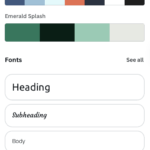
First, you’ll need to pick your brand colors and fonts. You could do research on color psychology yourself, but instead, we suggest asking ChatGPT to suggest colors that represent your brand. For example, if you have an Etsy shop where you sell nature-inspired wall art, green might be a good color to start with. ChatGPT can help you choose the right shade and a complementary color or two. It can also suggest fonts!
#2: Use AI to Create a Logo
Your logo comes next. Whichever design tool you use, you’ll begin by providing information about your brand along with your chosen colors. We suggest asking for four or more options. From there, you can narrow your choices and refine each element of the logo before saving it. Using the SVG format will ensure that your logo is a vector and can be resized for use wherever you need it.
#3: Create Templates for Your Online Shop
Creating templates is essential for your brand guide. At minimum, you’ll want a template to use for product listings and product mockups. Figma and Canva are both extremely useful for creating templates. You can experiment with various elements of each template. You’ll want to circle back to this step after nailing down your brand voice, so you can create communication templates as well. Saving the templates means you’ll be able to use them again and again.
#4: Pinpoint Your Brand Voice
 Generative AI makes it easy to create a consistent brand voice. If you’ve already got content you like, we suggest pasting what you’ve written into ChatGPT and asking it to describe the tone and voice of your content. You might get results such as friendly, warm, professional, or humorous.
If you’re creating a brand new shop, then describe the tone you want or the feeling you hope shoppers will have after reading your content. AI can suggest options, and from there, you can create written content using the suggested tone.
#5: Generate Sample Branded Content
The last step to creating your brand voice style guide with AI is to use AI to create sample branded content. For example, you might ask AI to create a sample product listing using your templates or a sample response to a buyer question. You might not always take AI’s suggestions, but they can make the entire process much quicker than it would be otherwise.
Put Your Brand Guide to Work Today
Once you have created your brand guide, it’s time to put it to work. You can use your templates and samples to generate new content with AI and give your shop or website a consistent and professional appearance. You can also pass the guide along to your assistant to make sure everything they create is up to your standards and is a good representation of your brand.
Do you need a hand with getting your Etsy shop up and running? Check out my product, Easy Implementation Etsy Success, for all the guidance you need to succeed!