 One of the trickiest things about using AI to generate and create digital products is that you have no way of knowing if the AI tool you’re using has delivered a similar design or similar content to another person. How could you know? And what can you do about it?
The most straightforward answer is that you’ve got to inject your human creativity into the process. You want the products you create to be special and unique, unlike anything else that’s available online. With that in mind, here are 8 creative ideas to put your personal stamp on your AI-generated products.
#1: Learn How to Write Effective Prompts
 All AI generations start with a prompt of some kind. It could be a written prompt or a visual one, but either way, you need to give an AI tool a jumping-off point. Let’s start with written prompts.
AI tools use written prompts by connecting words with concepts. Your job is to make your prompts as clear and specific as possible. Consider the difference between these two prompts:
- A girl in a rowboat
- A young girl with blond pigtails in a rowboat on a lake covered in lily pads
The second prompt is far more specific, and you can build from there. Maybe there’s a frog in the boat, or a rainbow overhead, or the boat is filled with dolls. Anything you can do to insert your imagination into the prompt will go a long way toward making the end result something that looks and feels original.
#2: Use Unique Visual Prompts
 A lot of product creators start with a stock image or a public domain image such as a photo or painting and use AI-powered tools to alter them. That’s good as far as it goes, but there’s even more you can do to make your products special.
One option is to start by uploading a photograph you took, one with a unique composition or perspective. You can then use AI to edit the photo or render it in the style of a famous artist. Because you’re starting with an image nobody else has, the result will be something that nobody else could create.
#3: Add Text or Additional Design Elements
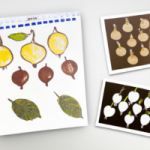 One of the easiest ways to ensure that your AI-generated products are unique is to tweak an image designed with an AI tool by adding text or other design elements.
For example, you could use Photoshop or another image editing tool to switch out the background, add images, or flip the perspective. You could also use something like Canva to add text, something that’s useful when creating wall art, greeting cards, or invitations.
#4: Combine AI Design with Human Design
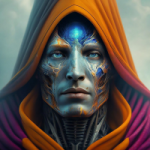 Building on the last item, you could start with a design you create and use AI to enhance or improve it or start with an AI design and edit it yourself! If you enjoy drawing, you could use a tablet to sketch out an image. After that, you could implement the AI tool of your choice to refine it.
As an alternative, you could generate an AI image and then apply your own creativity to it. That might mean uploading the image to your tablet and adding to it by fleshing out the design or printing it out and then adding to the image before scanning it back into your device.
#5: Combine New Images with Classic Art

One of our favorite things to do is to take a new image, whether it’s a photograph or something generated by AI, and then reinterpret it in the style of a famous artist. For example, you might take a photo of a city park and ask AI to render it in the style of Frida Kahlo or Georgia O’Keeffe.
You could also do the reverse. For example, you might take a famous painting and ask AI to create a photo-realistic version of it. Either way, you can get creative and make a product that nobody else has ever made.
#6: Use PD Images to Make a Collage
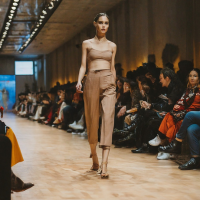 We love public domain content, and there are plenty of creative ways to use it. One thing that we’ve seen some creators doing is taking a collection of PD images and prompting AI tools to use them to make a collage.
One of the most impressive ways to do that is to take smaller versions of images and use them to make a bigger image. For example, you could take multiple images of vintage dresses and use AI to transform them into an image of a model walking down a runway.
#7: Include Specific Descriptions of Design Elements
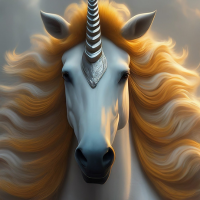 This idea is related to the first one on our list, but we want to dig a little deeper. Say you wanted to use AI to create a fantastical creature, one that nobody’s ever seen before. Instead of a general description, try this level of specificity:
- The head of a unicorn with a silver horn and golden mane
- A fish tail in rainbow colors with a glimmer of iridescence
- Flamingo legs in bright pink with purple polka dots
- A forked red tongue
You understand, right? The more laser-focused your descriptions are, the more likely you are to end up with an AI-generated image that meets your expectations.
#8: Combine Elements Created with Different Tools
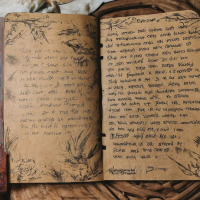 A lot of people who use AI implement only one AI tool in the creation of a design. You can give your designs some extra oomph by combining elements from more than one AI tool. For example:
- Written content created with Gemini and an image created by DALL-E
- Journal prompts created by ChatGPT and a journal template created with Canva
- A cheat sheet template from Canva combined with images and artwork created by Openart.ai
Using multiple tools to create a single product might take a little bit longer, but it’s also a way to ensure that your products are unique.
These 8 ideas can help you take your AI creations and make them into something only you could have created.
If you’re using AI tools to create printable products, you might need a hand. Check out Printable Sales Made Easy!